


RUNDLL (16-bit) and RUNDLL32 (32-bit) are two utilities supplied with Windows 95 and later (RUNDLL became obsolete in 64-bit Windows versions).
They can call DLL functions from the command line, allowing us to create extremely powerful batch files.
Besides "unattended" commands, many RUNDLL32 commands open dialogs or wizards to change settings.
In Windows 8 and later, the latter can often be achieved even better with Microsoft's ms-settings URI scheme.
If this is the case for a RUNDLL32 command, the ms-settings "command" will be mentioned as an alternative.
Clicking an ms-settings "command" on this page will open that particular ms-setting (after confirming the default app to open the link with).
Many dialogs can also be opened in Explorer by using their CLSID. Some examples of this technique will be shown as alternatives.
On this page you'll find some examples.
| Filter and highlight examples by category: | |
|---|---|
| Filter: | |
| Highlight: | |
RUNDLL32 commands yourself
Control Panel applets or settings windows can be opened with RUNDLL32, CONTROL or, for Windows 8..11, an ms‐settings URI.
However, if you want to make your batch file wait for the Control Panel applet or settings window to be closed, you'll have to use the RUNDLL32 command with START /WAIT
RUNDLL32RUNDLL32 SHELL32.DLL,Control_RunDLL filename.CPL,@n,t
where:
| filename.CPL | is the name of one of Control Panel's *.CPL files |
| n | is the zero based index of the applet within the *.CPL file |
| t | is the index of the tab for multi paged applets |
| Date/time applet, Time Zone tab: | RUNDLL32 SHELL32.DLL,Control_RunDLL TIMEDATE.CPL,@0,1 |
| Desktop applet, Screensaver tab: | RUNDLL32 SHELL32.DLL,Control_RunDLL DESK.CPL,@0,1 |
| Network applet, Protocols tab: | RUNDLL32 SHELL32.DLL,Control_RunDLL NCPA.CPL,@0,2 |
| Network applet, Adapters tab: | RUNDLL32 SHELL32.DLL,Control_RunDLL NCPA.CPL,@0,3 |
| System applet, Environment tab: | RUNDLL32 SHELL32.DLL,Control_RunDLL SYSDM.CPL,@0,2 |
| Note: | Applet and tab indexes may vary with Windows versions |
CONTROLCONTROL filename.CPL,@n,t
where:
| filename.CPL | is the name of one of Control Panel's *.CPL files |
| n | is the zero based index of the applet within the *.CPL file |
| t | is the index of the tab for multi paged applets |
| Date/time applet, Time Zone tab: | CONTROL TIMEDATE.CPL,@0,1 |
| Desktop applet, Screensaver tab (all Windows versions): | CONTROL DESK.CPL,@0,1 |
| Desktop applet, Screensaver tab (Windows 2000 and later): Note the space between the *.CPL file name and the comma. This seems to work for DESK.CPL only. Use the description on the tab, remove any spaces. |
CONTROL DESK.CPL ,@ScreenSaver |
| Note: | Applet and tab indexes may vary with Windows versions |
Explorer by CLSIDSTART Explorer shell:::{26EE0668-A00A-44D7-9371-BEB064C98683}[\category_index]
| Clock and Region: | START Explorer shell:::{26EE0668-A00A-44D7-9371-BEB064C98683}\6 |
| Network and Internet: | START Explorer shell:::{26EE0668-A00A-44D7-9371-BEB064C98683}\3 |
| Programs: | START Explorer shell:::{26EE0668-A00A-44D7-9371-BEB064C98683}\8 |
ms-settingsSTART ms-settings:[category]
where category can be found here.
If no category is specified, the settings main window will be opened.
| Date and time settings: | START ms-settings:dateandtime |
| Lock screen settings: | START ms-settings:lockscreen |
RUNDLL32 modemui.dll,InvokeControlPanel
RUNDLL SYSDM.CPL,InstallDevice_Rundll
For Windows 2000 and later versions, and Windows 98 SE with hotplug.dll installed:
RUNDLL32 SHELL32.DLL,Control_RunDLL hotplug.dll
RUNDLL32RUNDLL32 devmgr.dll DeviceManager_Execute
CONTROLCONTROL HDWWIZ.CPL
Explorer by CLSIDSTART Explorer shell:::{74246bfc-4c96-11d0-abef-0020af6b0b7a}First copy the *.SCR file to the Windows directory (2), then run:
RUNDLL32 DESK.CPL,InstallScreenSaver %windir%\SYSTEM32\MyNewScreensaver.scr
To invoke the screensaver use:
%windir%\SYSTEM32\MyNewScreensaver.scr /S
For Windows 2000 and later versions:
RUNDLL32 USER32.DLL,LockWorkStation
For Windows 95:
RUNDLL USER,repaintscreen
For Windows 95:
RUNDLLFor Windows 9x with PowerToys' QuickRes installed:
RUNDLL DESKCP16.DLL,QUICKRES_RUNDLLENTRY hresxvresxbpp
where:
| hres | is the horizontal resolution in pixels |
| vres | is the vertical resolution in pixels |
| bpp | is the number of bits per pixel |
The following example will set the screen resolution to 800 x 600 at 256 colors (28 colors = 8 bits per pixel)
RUNDLL DESKCP16.DLL,QUICKRES_RUNDLLENTRY 800x600x8
This command will change the resolution silently ("unattended").
For Windows 98..11:
SetRes by Ian Sharpe
This software was developed decades ago, and still works on current Windows versions, even for multiple monitor systems!
I used it successfully on Windows 7..10.
This command will change the resolution silently ("unattended").
ms-settingsFor Windows 8..11:
START ms-settings:screenrotation
This command will open the Display settings window, where the resolution can be changed interactively.
For Windows 9*/ME:
RUNDLL KEYBOARD,DISABLE
RUNDLL MOUSE,DISABLE
There is an ENABLE parameter too, but I haven't found the right syntax yet.
Without any further parameters it only halts the system without warning (Windows 95).
You will probably need the other RUNDLL commands to do a "clean" reboot.
RUNDLL MOUSE,ENABLE
RUNDLL32RUNDLL32 SHELL32.DLL,SHHelpShortcuts_RunDLL AddPrinter
ms-settingsNot exactly the same dialog, but similar:
START ms-settings:printers
RUNDLL32 WINSPOOL.DRV,ConnectToPrinterDlg
RUNDLL32For Windows 2000 and later:
RUNDLL32 SHELL32.DLL,SHHelpShortcuts_RunDLL PrintersFolder
For Windows NT4 and possibly older versions:
RUNDLL32 SHELL32.DLL,Control_RunDLL MAIN.CPL @2
CONTROLCONTROL printers
Explorer by CLSIDFor Windows 10, and probably earlier versions as well:
START Explorer shell:::{A8A91A66-3A7D-4424-8D24-04E180695C7A}
Alternatively, create a shortcut in the Start Menu to open the Printers folder, then open the new shortcut.
For Windows NT 4 and later versions:
MD "%USERPROFILE%\Start Menu\Programs\Printers.{2227A280-3AEA-1069-A2DE-08002B30309D}"
START "" "%USERPROFILE%\Start Menu\Programs\Printers.{2227A280-3AEA-1069-A2DE-08002B30309D}"
For Windows 9x (without roaming profiles):
MD "%windir%\Start Menu\Programs\Printers.{2227A280-3AEA-1069-A2DE-08002B30309D}"
EXPLORER /e,"%windir%\Start Menu\Programs\Printers.{2227A280-3AEA-1069-A2DE-08002B30309D}"
See the complete List of Windows 10 CLSID Key (GUID) Shortcuts by Shawn Brink for more inspiration.
For Windows 2000 and later versions:
RUNDLL32 printui.dll,PrintUIEntry /k /n"printer_name"
For Windows 95 and later versions (unconfirmed, certainly does not work on Windows 10):
RUNDLL32 SHELL32.DLL,SHHelpShortcuts_RunDLL PrintTestPage
For Windows 9x:
RUNDLL32 MSPrint2.DLL,RUNDLL_PrintTestPage
For Windows 2000 and later versions:
RUNDLL32 PRINTUI.DLL,PrintUIEntry /?
This will display an extensive list of available functions and many examples.
View this same list in HTML.
RUNDLL32 tcpmonui.dll,LocalAddPortUI
Remove the annoying company name in IE's title bar, that some ISPs like AOL inserted:
RUNDLL32 iedkcs32.dll,Clear
RUNDLL32 shdocvw.dll,DoOrganizeFavDlg
RUNDLL32 inetcpl.cpl,ClearMyTracksByProcess n
Where n can have the following values:
| 1 | delete browsing history (list of visited sites) |
| 2 | delete all cookies |
| 8 | delete temporary files (cache) |
| 16 | delete all saved forms data |
| 32 | delete all saved passwords |
| 255 | delete all of the above |
| 4351 | delete all of the above and all settings stored by add-ons |
The use of powers of 2 suggests that one can combine (add) these values, e.g. 40 to delete temporary files (8) and passwords (32) simultaneously, but I didn't test this assumption yet.
RUNDLL32 url.dll,TelnetProtocolHandler 10.0.0.100
You may of course keep it simple and use:
TELNET 10.0.0.100
RUNDLL32 url.dll,FileProtocolHandler https://robvanderwoude.com/news
Or you could simply use:
START https://robvanderwoude.com/news
RUNDLL32 SHELL32.DLL,SHFormatDrive
RUNDLL32 DISKCOPY.DLL,DiskCopyRunDll
For Windows XP and later versions:
RUNDLL32 SHELL32.DLL,SHHelpShortcuts_RunDLL Connect
For Windows 95:
RUNDLL32 USER,wnetconnectdialog
For Windows XP only:
RUNDLL32 netplwiz.dll,NetAccWizRunDll
For Windows XP only:
RUNDLL32 netplwiz.dll,AddNetPlaceRunDll
For Windows XP and later:
RUNDLL32 keymgr.dll,KRShowKeyMgr

For Windows 2000 and later versions we cannot, and don't need to use RUNDLL32:
SHUTDOWN /L
For Windows NT4:
RUNDLL32 USER32.DLL,ExitWindowsEx
RUNDLL32 USER32.DLL,ExitWindowsEx
REM This is not a mistake, the command usually must be called twice before anything happens.
For Windows 98:
RUNDLL SHELL32.DLL,SHExitWindowsEx
For Windows 98, run Explorer after relogon:
RUNDLL SHELL32.DLL,SHExitWindowsEx 4
For Windows 2000 and later versions we cannot, and don't need to use RUNDLL32:
SHUTDOWN /R
For Windows NT4 we need to create a helper batch file:
@ECHO OFF
REM Original batch file by Walter Zackery, adapted for readability
PUSHD "%temp%"
ECHO [Version] > {out}.inf
ECHO signature=$chicago$ >> {out}.inf
ECHO [defaultinstall] >> {out}.inf
RUNDLL32 SETUPAPI,InstallHinfSection DefaultInstall 1 {out}.inf
DEL {out}.inf
POPD
For Windows 98:
RUNDLL SHELL32.DLL,SHExitWindowsEx 2
For Windows 95 the RUNDLL reboot command isn't very reliable, and will sometimes only perform a shutdown:
RUNDLL USER.EXE,ExitWindowsExec
For Windows 2000 and later versions we cannot, and don't need to use RUNDLL32:
SHUTDOWN /S
For Windows 98:
RUNDLL SHELL32.DLL,SHExitWindowsEx 1
or, even better,since it will also power down ATX boards:
RUNDLL32 KRNL386.EXE,exitkernel
For Windows 95:
RUNDLL USER.EXE,ExitWindows
For Windows XP and later versions:
RUNDLL32 PowrProf.dll, SetSuspendState
For Windows NT4 and later versions:
RUNDLL32 SHELL32.DLL,RestartDialog

For Windows 9*/ME:
RUNDLL SHELL.DLL,RestartDialog
RUNDLL32For Windows NT4 and later versions:
RUNDLL32 SHELL32.DLL,ShellAboutW

ShellAboutA and ShellAbout work just as well, the only difference seems to be the dialog's title bar.
ms-settingsFor Windows 8..11, not the same dialog, but similar:
START ms-settings:about
RUNDLL32 SHELL32.DLL,OpenAs_RunDLL filename
For Windows XP and later versions:
RUNDLL32 ZIPFLDR.DLL,RouteTheCall zipfile.ZIP
Unfortunately, there seems to be no (native) command to copy files into the .ZIP file
For Windows NT4 and later versions:
RUNDLL32 USER32.DLL,SwapMouseButton
For Windows 95:
RUNDLL USER.EXE,SwapMouseButton
I know of no command yet to undo this, but the following will get you close:
CONTROL MAIN.CPL
or:
RUNDLL32 SHELL32.DLL,Control_RunDLL MAIN.CPL,@0,1
or for Windows 8..11:
START ms-settings:mousetouchpad
For Windows 95:
RUNDLL RNAUI.DLL,RnaWizard
For Windows NT4 and later versions:
START RUNDLL32 RNAUI.DLL,RnaDial exact name of dialer entry
TRACERT -h 1 -w 1
The RUNDLL32 command starts DUN, the TRACERT command is supposed to actually start the dialing process, assuming automatic dialing is enabled.
Since I do not have access to any PC with DUN installed, I could not test the TRACERT command's effect.
As an alternative you can use the RASPHONE command, which can also hang up the connection
RUNDLL32RUNDLL32 SHELL32.DLL,SHHelpShortcuts_RunDLL FontsFolder
CONTROLCONTROL fonts
ms-settingsSTART ms-settings:fonts
RUNDLL32 dsquery,OpenQueryWindow
This allows you to search Active Directory for users or computers, though only a limited part of the properties is accessible.
For Windows 2000 and later versions, activate registry changes in the HKEY_CURRENT_USER hive without logging off and logging in again:
RUNDLL32 USER32.DLL,UpdatePerUserSystemParameters ,1 ,True
For Windows XP only:
RUNDLL32 advpack.dll,LaunchINFSection %windir%\INF\msmsgs.inf,BLC.Remove
For Windows Vista and later versions:
InfDefaultInstall.exe inf_file.INF
For Windows XP:
RUNDLL32 setupapi,InstallHinfSection DefaultInstall 132 inf_file.INF
For any 32-bit Windows version with Internet Explorer 4 or later:
RUNDLL32 advpack.dll,LaunchINFSection inf_file.INF,DefaultInstall
For Windows XP only:
RUNDLL32 setupapi,InstallHinfSection DefaultInstall 132 %windir%infie.inf
For Windows 7 only:
RUNDLL32 DwmApi #105
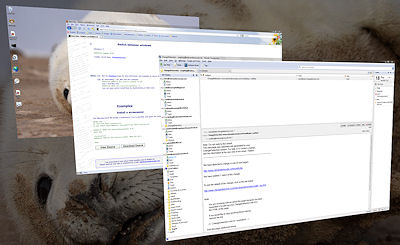
For Windows 7 only:
Turn ON Aero:
RUNDLL32 DwmApi #102
Turn OFF Aero:
RUNDLL32 DwmApi #104
| Notes: | (1) | See my Shutdown page for more information and examples on reboot and shutdown command lines. |
| (2) | By associating *.CPL files with the commandRUNDLL32 SHELL32.DLL,Control_RunDLL %1,@0and *.SCR files with RUNDLL32 DESK.CPL,InstallScreenSaver %1you can open and/or install them by doubleclicking the *.SCR files' shortcuts. |
Back to the top of this page . . .
The following batch file installs a screensaver if one is specified, and opens the Control Panel applet at the right tab to enable adjustment of its settings (tested in NT4 only):
@ECHO OFF
IF "%1"=="" GOTO Interact
IF NOT EXIST %SystemRoot%.\System32\%~nx1 GOTO Interactive

RUNDLL32 DESK.CPL,InstallScreenSaver %~f1
GOTO End

:Interactive
RUNDLL32 SHELL32.DLL,Control_RunDLL DESK.CPL,@0,1

:End
 |
 |
Back to the top of this page . . .
RUNDLL32 commands yourselfUsing PowerShell you can find the commandline of a running process, which we can use to find out how RUNDLL32 opens a specific dialog.
To explain the procedure we'll use a print queue as an example.
tasklist /fi "imagename eq rundll32.exe"RUNDLL32 process is runningpowershell -Command "Get-WmiObject -Class 'Win32_Process' -Filter \""Name='rundll32.exe'\"" | ForEach-Object { $_.CommandLine }"pwsh -Command "Get-CimInstance -ClassName 'Win32_Process' -Filter \""Name='rundll32.exe'\"" | ForEach-Object { $_.CommandLine }"Get-WmiObject -Class 'Win32_Process' -Filter "Name='rundll32.exe'" | ForEach-Object { $_.CommandLine }Get-CimInstance -ClassName 'Win32_Process' -Filter "Name='rundll32.exe'" | ForEach-Object { $_.CommandLine }
CommandLine

		-----------

"C:\WINDOWS\system32\rundll32.exe" printui.dll,PrintUIEntryDPIAware /o /n "MyPrinter"| Notes: | [1] | Not all dialogs are opened by RUNDLL32. |
| [2] | In case of static dialogs, RUNDLL32 may be terminated immediately after opening the dialog, in that case this procedure won't work. |
Windows 8..11's ms-settings URI scheme for opening settings windows.
Peter A. Bromberg's Short RunDll32 Primer for Developers
Tim Fisher's list of command line commands for Control Panel applets
At The Visual Basic Developers Resource Centre a list of Control Panel Functions for Windows 9x/NT through RUNDLL can be found
An extensive list of Control Panel related and other RUNDLL commands can be found at Media Chance's RUNDLL FAQ page
Complete List of Windows 10 CLSID Key (GUID) Shortcuts by Shawn Brink.
Back to the top of this page . . .
page last modified: 2022-02-16; loaded in 0.0194 seconds


