


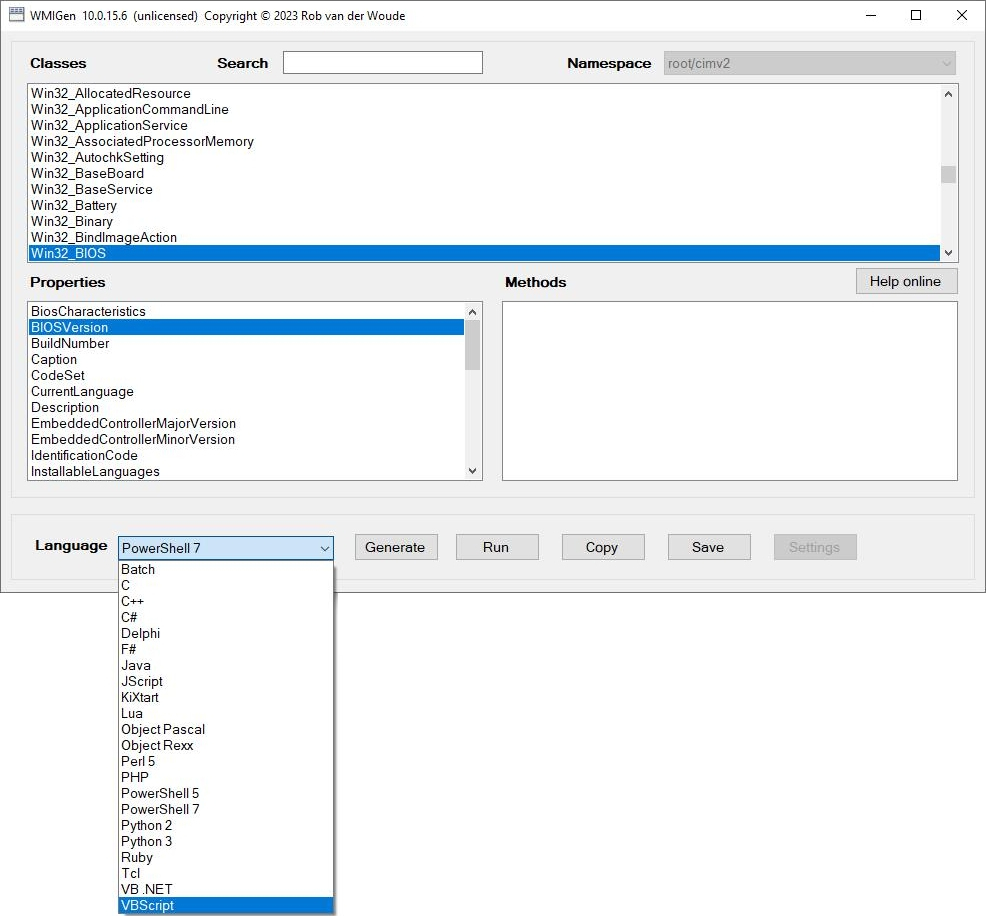
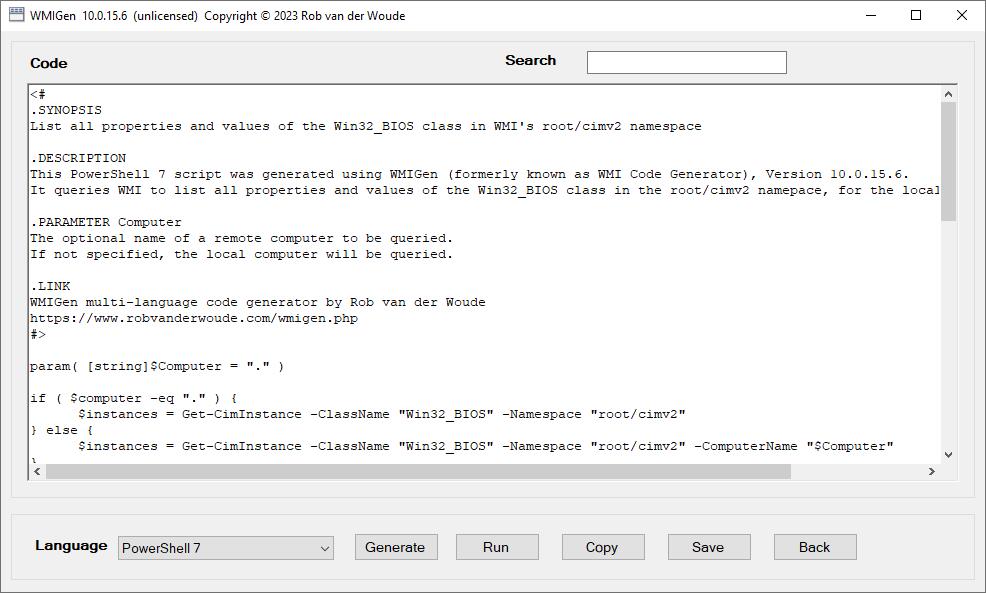
Use this program to generate Batch, C, C++, C#, Delphi, F#, Java, JScript, KiXtart, Lua, Object Pascal, (Open) Object Rexx, Perl, PHP, PowerShell, Python, Ruby, Tcl, VB .NET or VBScript code for menu selected WMI queries.
| Command line and/or configuration file: | |
|---|---|
| /BW | Use high contrast black and white style for the program's window |
| /CHAIN | try to display arrays of (character) numbers both as translated string and as joined array of numbers (default: joined array only) Note: this option is not available for C, C++, Delphi, F#, Java and Object Pascal, the /CHAIN switch will be ignored for these languages |
| /DEFNS | do not build a list of namespaces, provide only the default namespace (or the one specified by the /NAMESPACE switch) |
| /LANGUAGE:language | specifies the selected scripting or programming language at startup (default: C#) |
| /MINRES | minimize resource use by generated code Note: this option is available for JScript, KiXtart, Object Rexx, Python and VBScript only, it will be ignored for other languages |
| /MSM:selectionmode | set selection mode for Methods listbox ("None", "One", "MultipleExtended" or "MultipleSimple"; default: "MultipleExtended") |
| /NAMESPACE:namespace | specifies the selected WMI namespace at startup (default: root/CIMV2) |
| /NOADMIN | do not show warning message if running without elevated privileges |
| /NOPERF | do not list Performance Monitor classes |
| /NOUPD | do not check for program updates |
| /PSM:selectionmode | set selection mode for Properties listbox ("None", "One", "MultipleExtended" or "MultipleSimple"; default: "MultipleExtended") |
| /SAVETO:directory | specify the directory to save results to (default: My Documents) |
| /SIZE:widthXheight | specify the window size (width x height or "MAXIMIZE"; default: 1024 x 600) |
| /SM:selectionmode | set selection mode for Properties and Methods listboxes ("None", "One", "MultipleExtended" or "MultipleSimple"; default: "MultipleExtended") |
| /TIMEOUT:seconds | specify the timeout in seconds for WMI queries (1..180 seconds; default: 10 seconds) |
| /WIN32 | list Win32_* classes only |
| Command line only: | |
| /? | show this help |
| /CLASS:class | specifies the selected WMI class at startup (default: first item in list) |
| /COPY | copy result to clipboard and exit (requires either /GENERATE or /RUN, implies /DEFNS and /NOADMIN and /NOUPD) |
| /GENERATE | generate code (requires /CLASS) |
| /RUN | run selected query (requires /CLASS) |
| /SAVE:file | save result to file and exit (requires either /GENERATE or /RUN, implies /DEFNS and /NOADMIN and /NOUPD) |
WMIGen requires a paid license for commercial use after an evaluation period; it is free for personal use.
Unlike its HTA predecessor, WMIGen.exe does not require elevated privileges, but if running without them, some namespaces may be inaccessible.
So when running without elevated privileges, the program may take longer to initialize at startup, or when a new namespace is selected.
In that case, a dialog will pop up, explaining the performance issue, and prompting you to restart the program with elevated privileges.
You can use the /NOADMIN command line switch to suppress this dialog when running without elevated privileges.
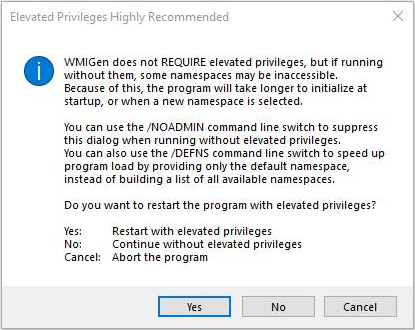
You can also use the /DEFNS command line switch to speed up program load by providing only the default or specified namespace, instead of building a list of all available namespaces.
Switches /GENERATE and /RUN are mutually exclusive.
The selected selection mode (switch /SM or switches /PSM and /MSM) determines how you can select and deselect items in the Properties and Methods listboxes:
/SM switch to set the selection mode for properties and methods, or /PSM to set the selection mode for properties and /MSM for methods.Generated code for C and C++ won't display arrays, and error handling is not provided.
An optional configuration file can be used to change the program's default settings.
The configuration file's path and filename are identical to the program's, the extension is ".cfg".
A configuration file can be created using the "Save" button in the Settings window, or it can be typed directly in Notepad or any other plain text editor.
When the program is loaded, default settings are applied first.
Next, if a configuration file exists, it will be loaded and interpreted.
The command line will be interpreted after that.
In case of conflicts, command line settings will always prevail over configuration file settings.
The "Copy" and "Save" buttons' function depends on the context:
As of version 10.0.10 the .NET Framework 4.5 is required.
This program is based on the Microsoft TechNet ScriptCenter article Scripting Eye for the GUI Guy, now renamed to A Scriptomatic You Can Call Your Own.
This program was created with the help of Windows' native WBEMTEST command and the Scripting Guys' Scriptomatic tool.
Language code samples:
Online Help search based on Google Search and completed with help from Search Engine Roundtable
Code to extract icon from Shell32.dll by Thomas Levesque
Code to follow hyperlinks in the Help text by Sam Meldrum
| Version | Release Date | Description |
|---|---|---|
| 10.0.15.6 | 2023-02-25 |
|
| 10.0.15.5 | 2023-02-20 |
|
| 10.0.15.4 | 2022-04-14 | Bug similar to the previous one: the program would return an error message when running a WMI query that returned arrays of Byte, UInt64 or Object values (e.g. the MS_SmBios class in the root/WMI namespace); this has been fixed. |
| 10.0.15.3 | 2022-04-14 | Bug: the program would return an error message when running a WMI query that returned arrays of UInt32 values (e.g. the HigherLayerInterfaceIndices property of the MSFT_NetAdapter class in the root/StandardCimv2 namespace); this has been fixed. |
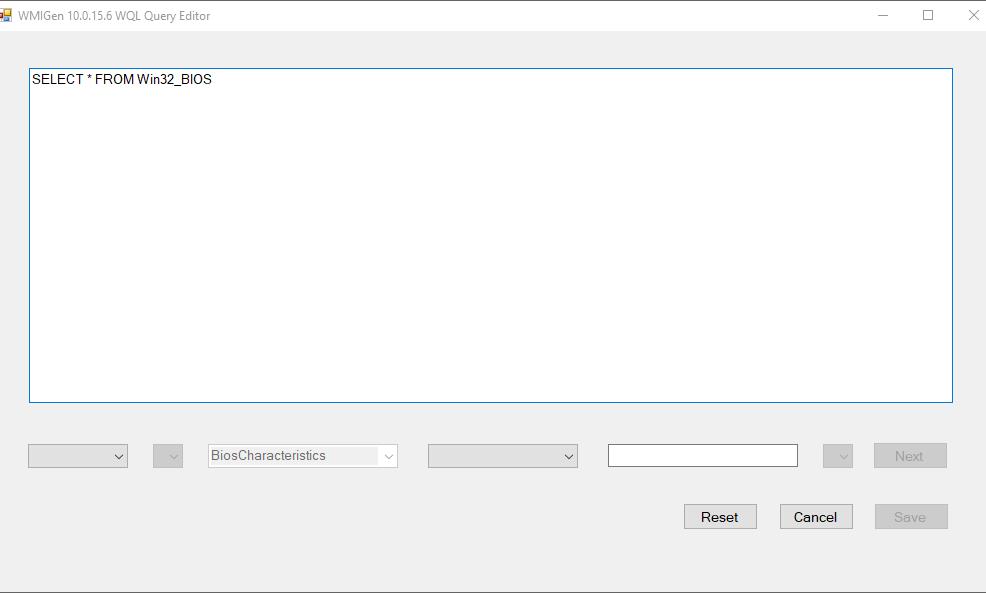
| 10.0.15.2 | 2021-02-10 | Another maintenance release, in preparation for multiple query editors besides the current "pure WQL" query editor. For the moment the Edit button below the generated code is disabled for PowerShell 7 and batch code, as neither of these adheres to "pure WQL". |
| 10.0.15.1 | 2020-09-17 | Maintenance release, in preparation for multiple query editors besides the current WQL query editor. The only difference on the "outside" is the popup message text you get to see when you try to start the WQL query editor for PowerShell 7. No need to download if you are running the 10.0.15.0 version. |
| 10.0.15 | 2020-08-26 |
|
| 10.0.14 | 2020-07-14 |
|
| 10.0.13 | 2019-08-11 |
|
| 10.0.12 | 2019-08-01 |
|
| 10.0.11 | 2019-07-22 |
|
| 10.0.10 | 2018-12-06 |
|
| 10.0.9 | 2018-11-10 |
|
| 10.0.8 | 2018-03-08 |
|
| 10.0.7 | N/A | Intermediate release for testing, never officially released |
| 10.0.6 | 2017-08-30 |
|
| 10.0.5 | 2017-08-25 |
|
| 10.0.4 | 2017-08-23 |
|
| 10.0.3 | 2017-08-19 |
|
| 10.0.2 | 2017-08-18 |
|
| 10.0.1 | N/A | Never made it to publication |
| 10.0.0.61215 | 2016-12-15 | First "final" release |
|
Versions published before 10.0
are the old HTA version of the program, which is still available but no longer maintained. |
||
| Checksums: File name: MD5: SHA1: |
wmigen.zip 4f120a5d74731c0d8e021019663c16b4 7ac8768f7ed9eb14f5ce22cc4db2834e48275173 |
page last modified: 2023-02-25; loaded in 0.0029 seconds


